
Proposal Errors
When you are creating a proposal, you may run into an error on the line item in regards to your allocations or minimum flight dates.
Allocation Error
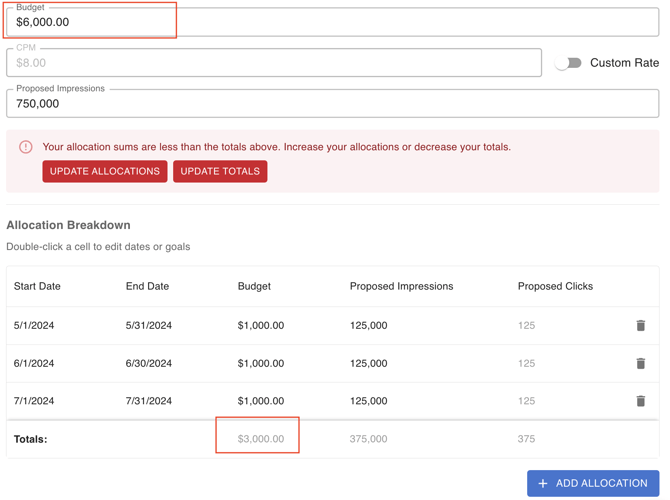
In the screenshot above, we received an error stating "Your allocation sums are less than the totals above. Increase your allocations or decrease your totals."
This appeared because the total budget of $6,000.00 at the top does not match the total of the allocations tab, which is only $3,000. This can happen if you updated the budget from the original amount entered.
You can click one of the options in the error:
- Update Allocations: This will update the table to match the totals at the top
- Update Totals: This will update the totals at the top to match the allocations in the table
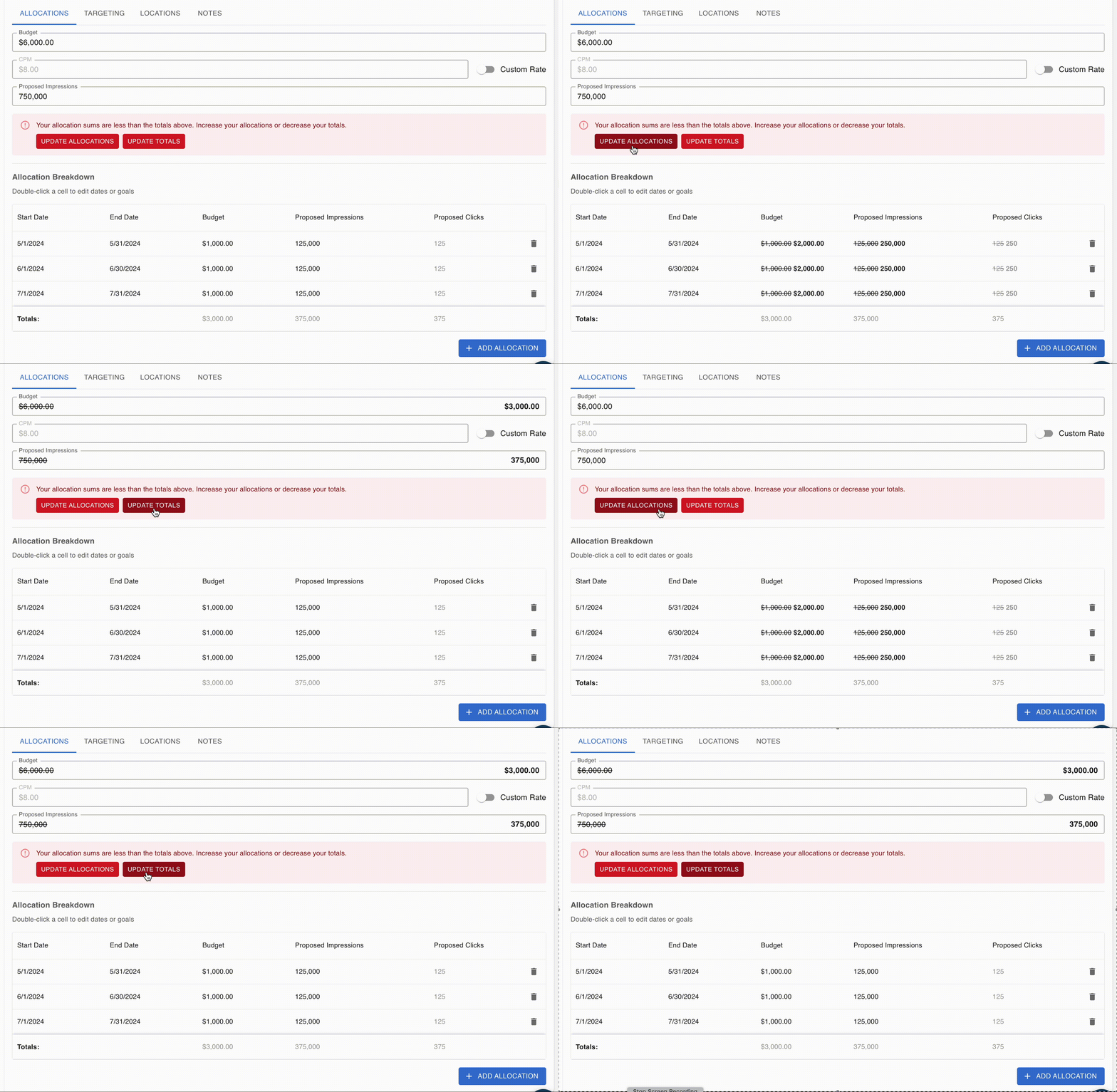
You can hover over the buttons to see the proposed changes before clicking the buttons.
Flight Date Minimums
Some of our products require minimum flight dates. When building a proposal, you may come across the below error if you adjust a line item to not meet our required minimum campaign length.
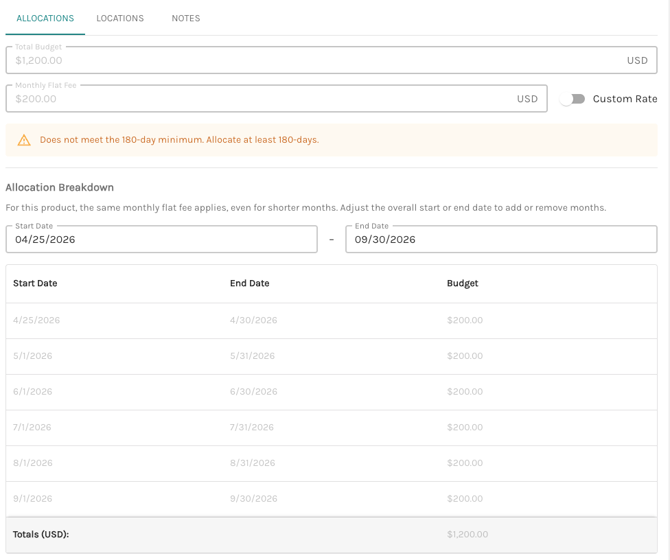
Our products follow minimum requires by days. To learn more about our minimum day requirements please read through this article. To resolve this error, please make sure your line item meets our minimum requirements.
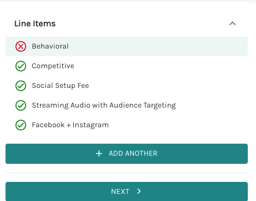
For any of these errors, you will also see on the right-hand side, that a ❌ next to the line item that does not have accurate allocations.
If any line item in your order does not have accurate allocations, you will not be able to submit this proposal into an order. In order to submit the proposal, you will need to ensure all line items have a ✅ next to it.
Order Errors
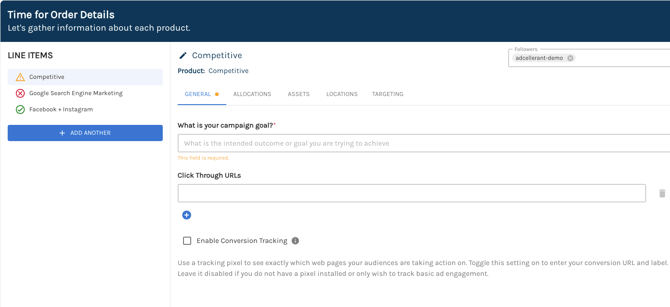
When creating a line item, you may see two types of errors: required information (⚠️) and an allocations error (❌). You will see these on the left-hand side next to each of your line items.
Required Information Errors
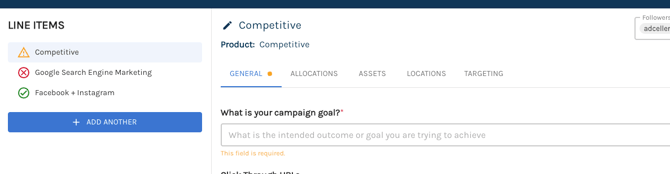
Required information will display a warning sign ⚠️ and will have a yellow dot on the tab that is missing required information. You will see which fields require information because it will state below it that "This field is required" in yellow text.
Without this information, your campaign will not be able to go live.
Allocations Errors
The system will automatically assign the minimum allocations required based on your rate card and our minimum requirements per product.
If you alter a line item's allocations, you may come across an error similar to the following screenshots because the line item does not meet our minimum requirements for:
- Minimum campaign length in days
- Minimum budget or ad spend
- Minimum impressions or views
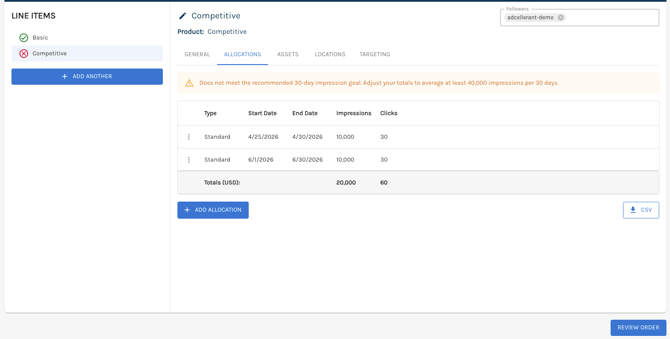
To resolve these errors, you will need to adjust the issue that the error brought up. In the above example, we need to adjust our impression goal to match 40,000 impressions per 30 days (or 1,334 impressions per day). That means we would need to update the June allocations to be over 40,000 impressions for the error to resolve.
Similar to Proposals, you cannot submit an order to us if any of the line items have a ❌ or issues with their allocations. All line items must have a ✅ in order to submit.