
Overview
Ops-level users in Ui.Marketing can see the Users table within Settings.
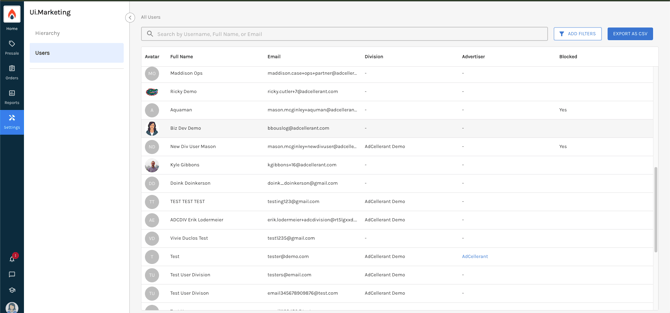
These users can also filter the table to only show users with certain permissions. Below we will define each permission that you can fitler by.
Order Permissions
- Access all Orders. Allows a division-level user the ability to see all orders and line items for divisions they are assigned to.
- Manage Owned Line Items. Allows division-level users to use OMS for their owned and operated orders/line items.
- Orders. Allows the user to view Orders within Ui.Marketing.
- Order Submission. Allows a user to submit an order.
Proposal Permissions
- Access all Proposals. Allows a division-level user the ability to see all proposals for divisions they are assigned to.
-
Allow Custom CPM. Allows the user to create a custom CPM on a proposal or order. This should be enabled with caution, especially with external users.
- Change Requestor. Allows the admin user to change the requestor on an order or line item.
- Presales. Allows the user to view the Presales area in Ui.Marketing.
- Proposal Submission. Allows the user to submit a Proopsal.
Reports Permissions
- Reports. Allows the user to utilize Reports within Ui.Marketing.
Hierarchies Permissions
- Hierarchies. With this area enabled, Ops users can view basic information about their hierarchies and modify their company logo.
- Manage External Integrations. Allows an Ops-level user to integrate external platforms within Ui.Marketing.
- Manage Products. Allows an Ops user to view and manage their enabled products and retail rates for those products.