
Overview
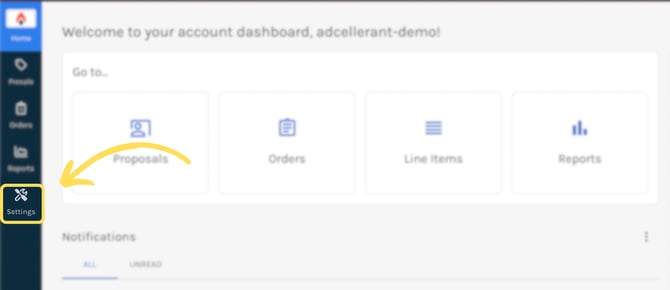
Settings within Ui.Marketing is the area to manage your users and your partner/division/advertiser settings. Only Ops-level users of Ui.Marketing have access to Settings.
ℹ️ External Integrations is apart of settings but requires a seperate permission be enabled in order to access. Please reach out to your Account Executive to learn more about External Integrations.
Walkthrough
Walkthrough Steps
- Anywhere within Ui.Marketing, click the Settings icon on the left-hand navigation bar (under reports).
-
You are defaulted to your hierarchy. Your hierarchy is your partner, division(s), and advertiser(s) associated with your partner account.
- Within the table you will see your partner. By clicking on the partner name, you will be taken to the division(s) within that partner.
- If you click on a division, you will see all the advertiser(s) associated with that division.
- Utilize the breadcrumbs at the top of the page to easily navigate back to any layer in your hierarchy.
- Whenever you click EDIT next to a partner name or division name, you will see the following information:
- General information about your partner/division.
- A tab to update your logo. NOTE: A division logo takes precedence over a partner logo.
- A tab for all of your products. These are products enabled at the partner/division and their retail rates.
- On the left-hand side, if you click Users, you will see a table of all the users associated with your partner, divisions, and any advertiser-specific users.