
The Ui.Marketing Business App and Conversations AI Beta are only available in the US and Canada.
Automations are a powerful tool you can use to automate your sales and marketing processes. Map out your personalized workflows in our simple builder and watch your business grow.
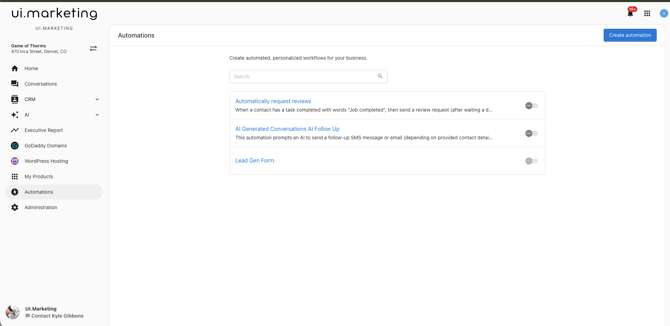
An automation workflow is simply a set of instructions that tell the platform "when this specific trigger happens, then perform this action." For example, "When a new client is added, then assign a salesperson to the account."
Examples of what you can do with automations
- Welcome new clients. When a contact is created, automatically send an email campaign to welcome them to your platform.
- Drive product upgrades. When a contact purcahses a product, automaticaly send them an email campaign outlining the benefits of an enhancement.
- Keep track of failed payments. When a contact has a failed payment, receive a notification so you can follow up quickly.
Create an Automation
- Log in to Business App and navigate to Automations.
- Click Create automation at the top right of the screen.
- Enter details for the automation:
- Name: A descriptive name for the automation
- Description: (Optional) Additional information about the automation
- Status: Toggle to turn the automation on or off
- Define the trigger that will start the automation. You can select from:
- When: The event that will trigger the automation
- If: (Optional) Add conditions to further refine when the automation should run
- Set up the action that will occur when the trigger conditions are met.
- Review the details and click Create Automation.